Product
The IDK kit as registers: 24 templates in Implementer
The Implementation Docs Kit (IDK) is a set of 24 independent templates for IFS Cloud projects, and Implementer runs each of them as a register or a generated document.
What is the IDK kit?
The Implementation Docs Kit is a set of 24 templates, IDK-01 to IDK-24, that follow the structure of an IFS Cloud implementation. Dariusz Myśliwiec publishes it at IFS-ERP; it is independent and not an official IFS document. The kit index lists the templates. See about for the author.
What does Implementer do with the kit?
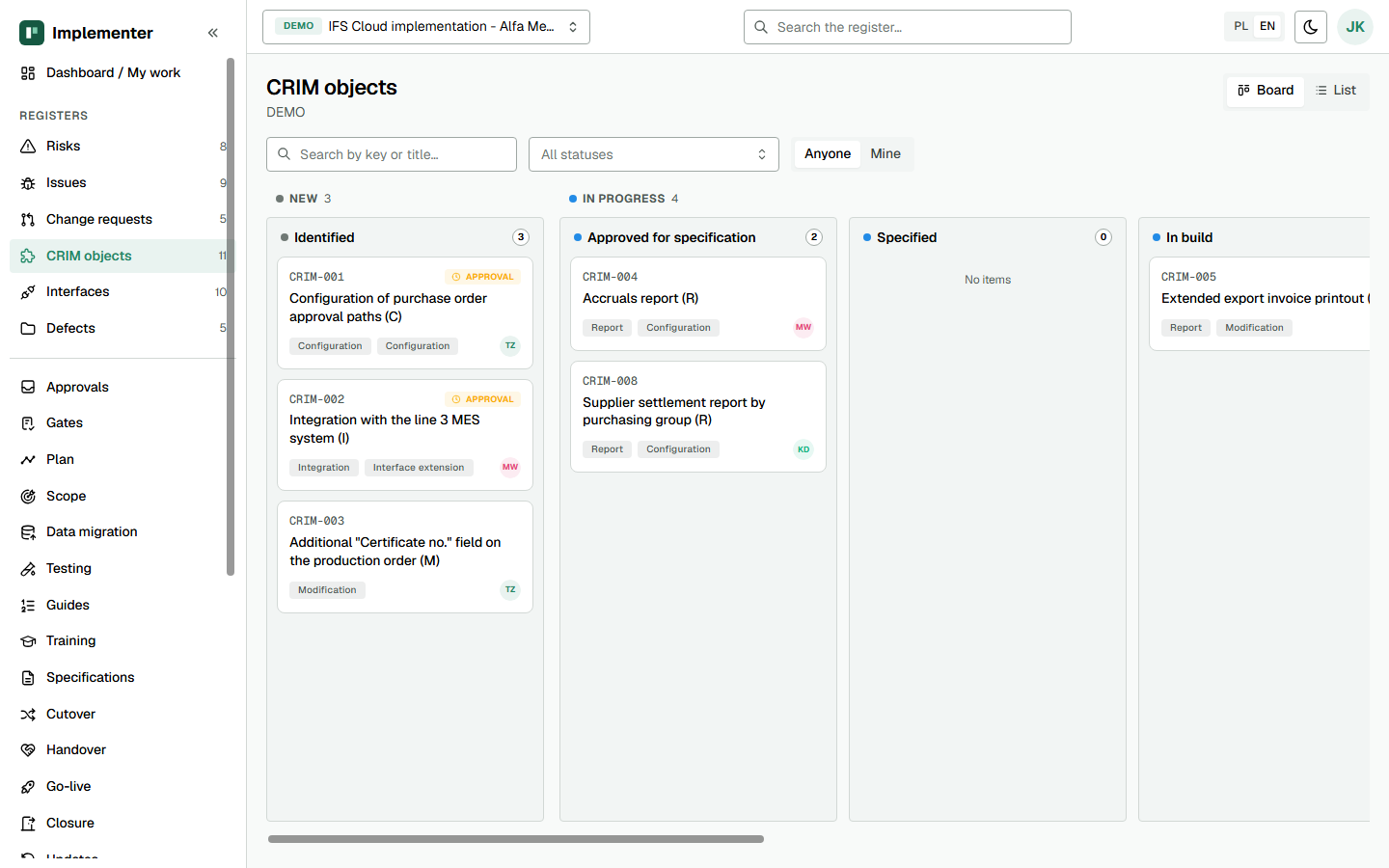
Implementer runs each template as a register, or as a generated document over registers, so a template stops being a Word or Excel file that drifts. The metadata of a template (owner, approver, gate, version) becomes a document type, the approval block becomes an approval bound to the version hash, and fields marked for agreement become project parameters. Read the idea on the product page and the terms in the glossary.
Which register stands behind each template?
Each name links to the page that describes the template together with its Implementer screens.
| IDK | Template | What Implementer holds |
|---|---|---|
| 01 | Project Management Plan | Baselines, milestones, assumptions, environment register |
| 02 | Project Scope Statement | Benefits, process areas, exclusions, acceptance criteria, sign-off |
| 03 | Project Organisation and RACI | People, role assignments, RACI with exactly one accountable role |
| 04 | Risk Register and Issue Log | Risks and issues with owners and calculated severity |
| 05 | Communication Plan and Stakeholder Analysis | Stakeholders, communications, meeting calendar, log |
| 06 | Steering Group Pack | Meetings, decisions, actions, status report from the registers |
| 07 | Change Request | Requests with alternatives, impact areas and an approval ladder |
| 08 | Qualification Gate Checklists | Five gates, 61 items, decisions with conditions |
| 09 | Book of Rules | Rules per process area, decisions, exceptions, open questions |
| 10 | CRIM Log | The hub object linking specification, interface, tests and handover |
| 11 | Functional Specification, Integration and Modification | Specification per CRIM with versions, approval and PDF |
| 12 | Configuration and Report Specification | Configuration and report specification per CRIM |
| 13 | Interface Register | Interfaces, legacy system decisions, cutover actions |
| 14 | Data Migration Strategy | Data groups with scope, history and access to old data |
| 15 | Data Migration Plan and Readiness Checklist | Migration objects, cleansing, load cycles, results, sign-off per data group |
| 16 | Step-by-Step Guide | Guides with steps and exceptions, linked to test scenarios |
| 17 | Test Strategy | Test cycles with entry and exit criteria |
| 18 | SAT and ORT Test Script and Sign-off | Scenarios with steps, executions, defects, coverage |
| 19 | Training Plan and Course Description | Audiences, courses, sessions, attendance |
| 20 | Cutover Plan, Checklist and Contingency | Cutover plan, runbook tasks, rehearsals and results |
| 21 | Go-Live Readiness Decision | 42 criteria, conditions, Go, Go with conditions or No-go |
| 22 | Handover to Support | Handover, hypercare, support acceptance, extensions |
| 23 | Update Strategy (Evergreen) | Update policy, decision log, six-step update cycles, calendar |
| 24 | Project Closure and Lessons Learned | Closure with gate evidence, lessons, residual issues |
Do you need to own the kit to use Implementer?
No. Implementer carries its own methodology pack, built on the structure of the kit. Teams that already keep the kit templates in Word or Excel can load their existing registers during a pilot: baselines, scope, risks, CRIM objects and interfaces, by CSV or XLSX import with a dry-run preview.
Where does it show?
See how the registers answer eight common problems, how the three modes use them (new implementation, rollout, BAU and Evergreen), or book a scoping call.
Last updated: